Calendar confirmations let you send an Email and/or SMS to confirm a potential vendor's valuation booking, or to confirm a viewing with a potential buyer and the vendor. It's a useful way to give your vendors and applicants a written summary of the day, time and location, and can reduce the likelihood of no-shows.
This article covers how to send confirmations for valuations and viewings, what happens when a guest is missing contact details, and when Rex won't send a confirmation. Confirmation templates are set up by an admin user. For more on this, see - Advanced Settings: Calendars and Appointments.
How Do I Send a Confirmation for a Valuation?
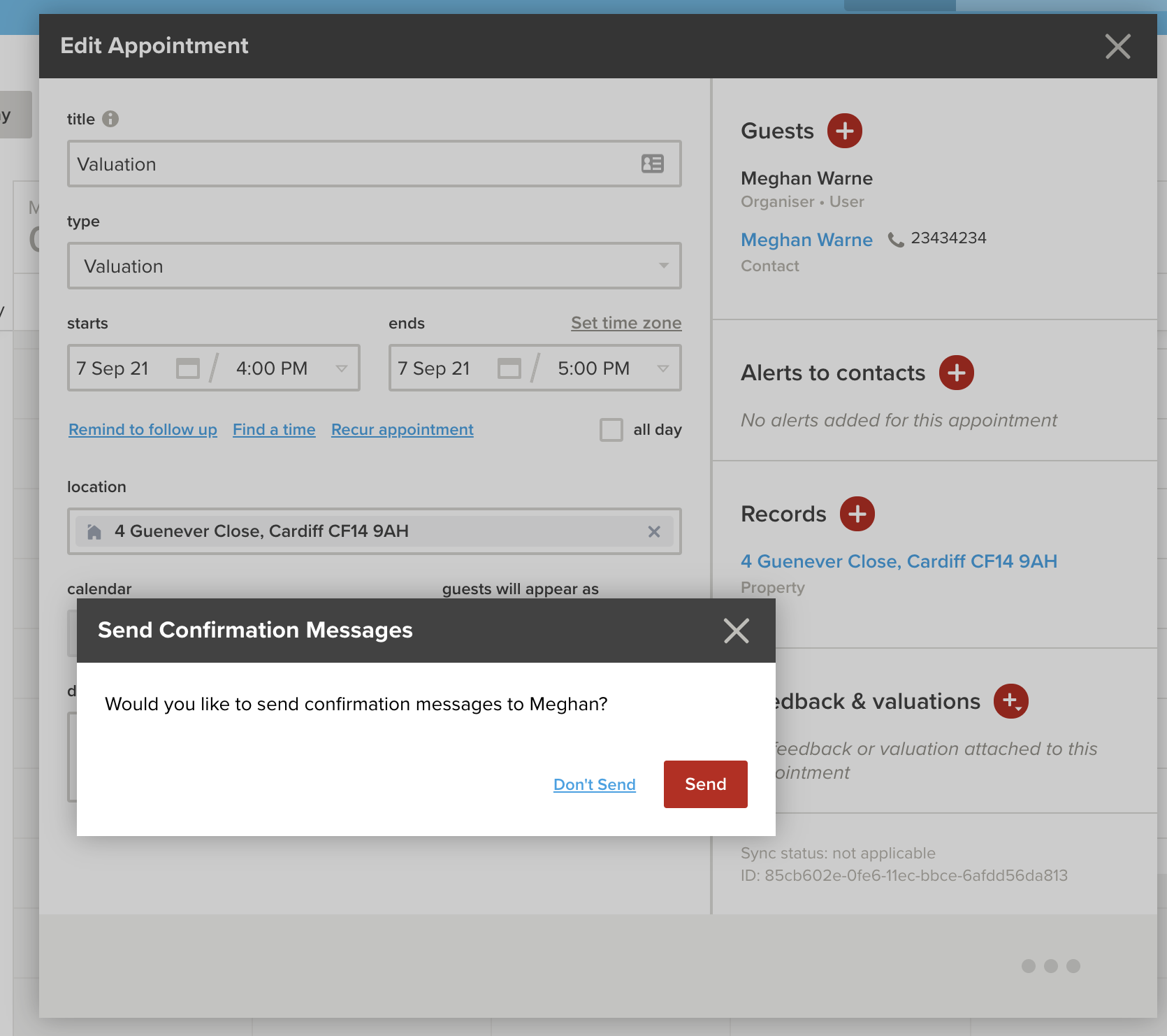
For a valuation, your Guest is your potential Vendor, so you'll only be prompted to send one confirmation, to the Guest, when you save the appointment.
How Do I Send Confirmations for a Viewing?
After you save a viewing appointment, you'll be prompted to send two confirmations: one to the Guest and one to the Listing Owner.
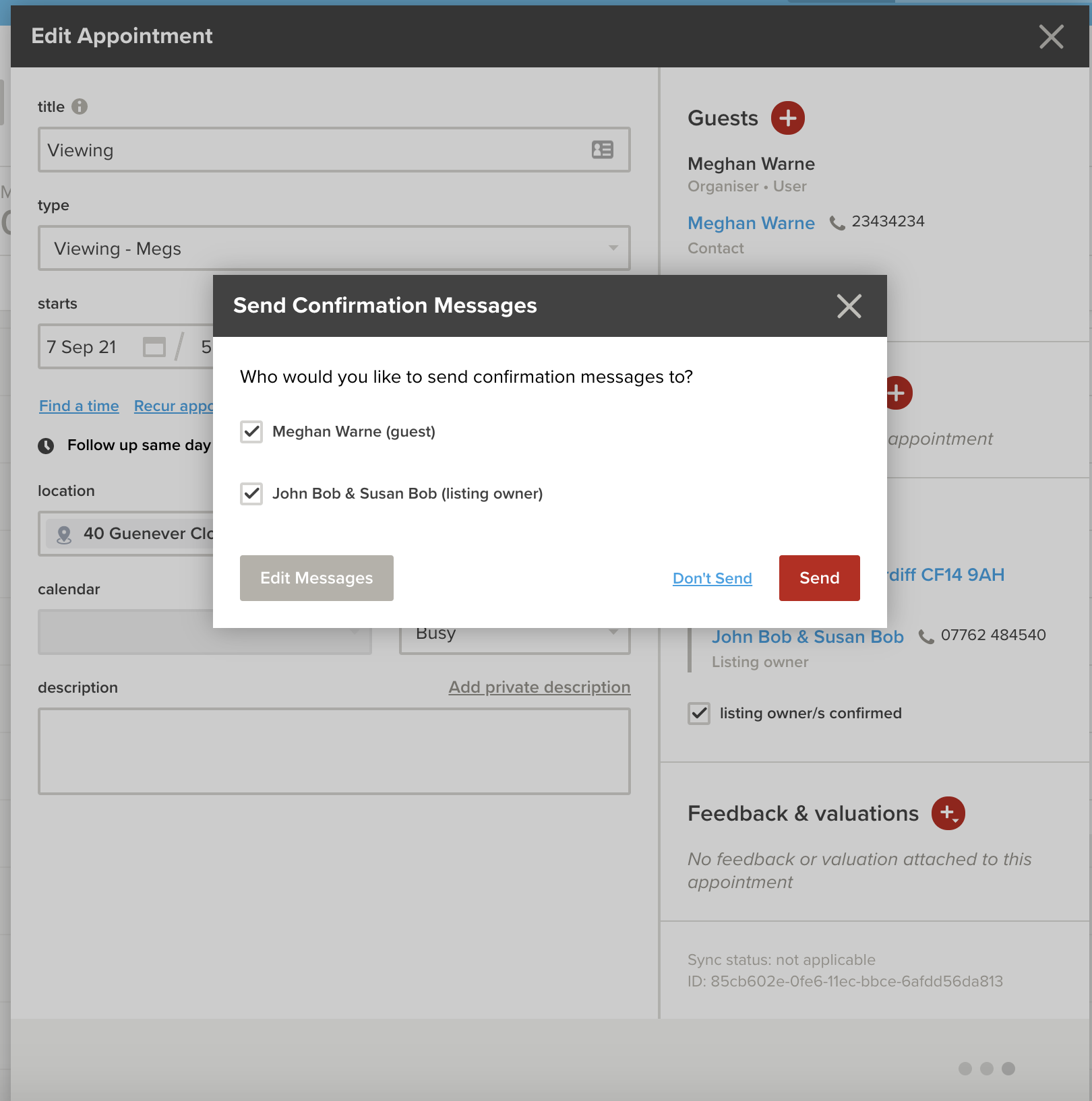
Please Note: The appointment needs to be confirmed by both the Vendor and the Guest before the appointment confirmation can be sent.
What Are My Options When Sending a Confirmation?
Depending on the settings for that Appointment Type, you'll have the following options:
- Send immediately - saves the appointment and sends the confirmation message(s)
- Don't Send - saves the appointment without sending any messages
- Edit the Message - lets you change the message(s) before sending
As with all SMS and emails sent from Rex, any replies from your guests will go directly to your phone number or email address.
What If a Guest Is Missing Contact Details?
If you invite a guest who doesn't have the contact details needed for the confirmation (for example, an email address), Rex will prompt you to add them.

Any details you add are saved to the guest's contact record for next time.
Why Won't Rex Send a Confirmation to a Guest?
Rex won't send a confirmation to a guest who has asked not to be contacted:
- If the guest is marked as Do Not Contact, Rex will let you know and no confirmations will be sent to them
- If the guest has Email or SMS blocked in their Communication Preferences, confirmations won't be sent to them on that channel

For example, if a guest has SMS blocked but email open, they can still receive an email confirmation. To check or change a guest's preferences, open their contact record. For more on this, see - Contacts: Communication Preferences and Do Not Contact.
❓ FAQs
Why wasn't I prompted to send a confirmation?
Calendar Confirmations may not be set up for that Appointment Type. An admin user can set these up in Advanced Settings.
Why can't I send the confirmation for my viewing?
The appointment needs to be confirmed by both the Vendor and the Guest before the confirmation can be sent.
A guest didn't receive their SMS confirmation. Why?
Check their contact record. They may be missing a mobile number, be marked as Do Not Contact, or have SMS blocked in their Communication Preferences.
Where do replies to a confirmation go?
Replies go directly to your phone number or email address, the same as any other SMS or email sent from Rex.