The account sharing function in Rex allows you to share your listings for marketing purposes with another agency that uses Rex. Sharing your listings with another account allows users in the other account to market your listings to their buyers and tenants.
Sharing is a two-way relationship - i.e. the second account can view your listings for marketing purposes and you can view their listings.
Important Note: Account Sharing does not link listings between accounts, it only makes them available for Marketing purposes (automatic match updates, eBrochures, etc).
Setting up Account Sharing
To start Account Sharing, go to Settings from the left side menu > Agency Settings & Branding > Account Sharing.
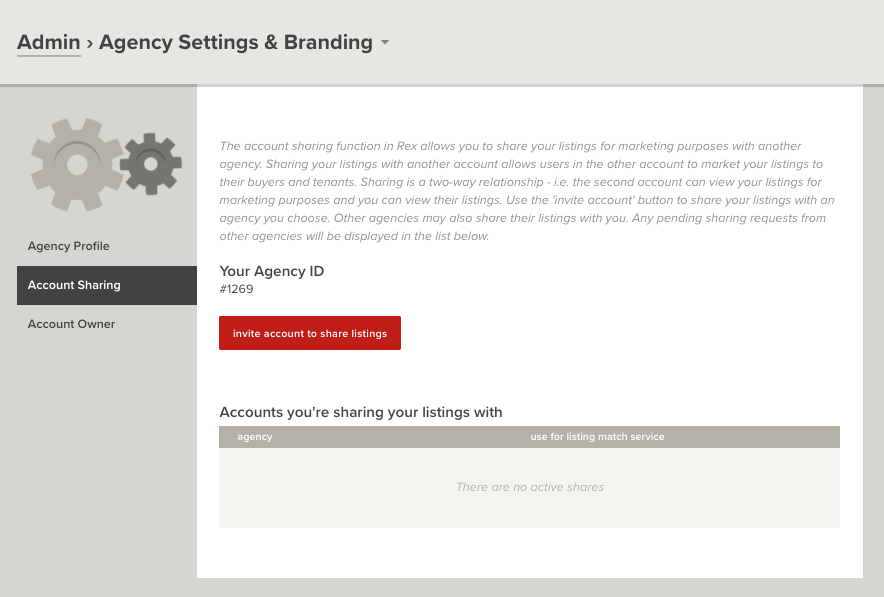 To invite an account to share listings, you'll need their Agency ID. To obtain this, just request them to go to the Account Settings section (as seen above).
Once you have their Agency ID:
- Select Invite Account to Share Listings
- Enter the Agency ID (eg #1234)
- Select Continue
- The next dialogue will advise you who you're inviting to share listings with - if this the correct account, select Continue
This will now show as a pending request under "Invited to share your listings"
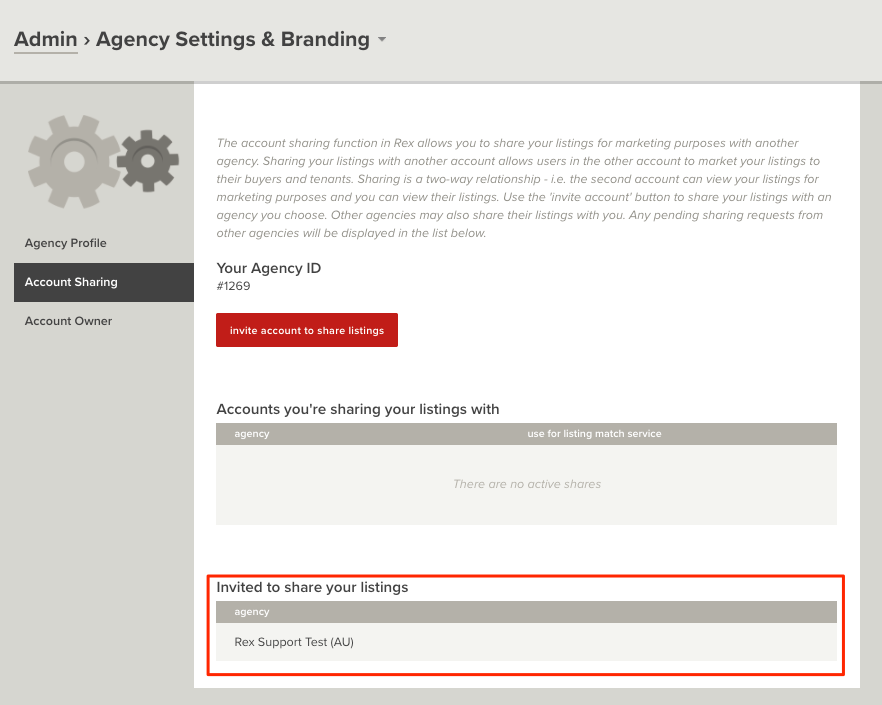
If you wish to cancel this request - hover over the agency name > click the drop-down arrow > cancel sharing access.
Now that you have invited an agency to share your listings, the agency will need to accept the invite.
To do this, they will need to:
- Go to Settings from the left side menu > Agency Settings & Branding > Account Sharing
- Under "Accounts you're invited to share listings with", you'll see an Accept Invite option - click this
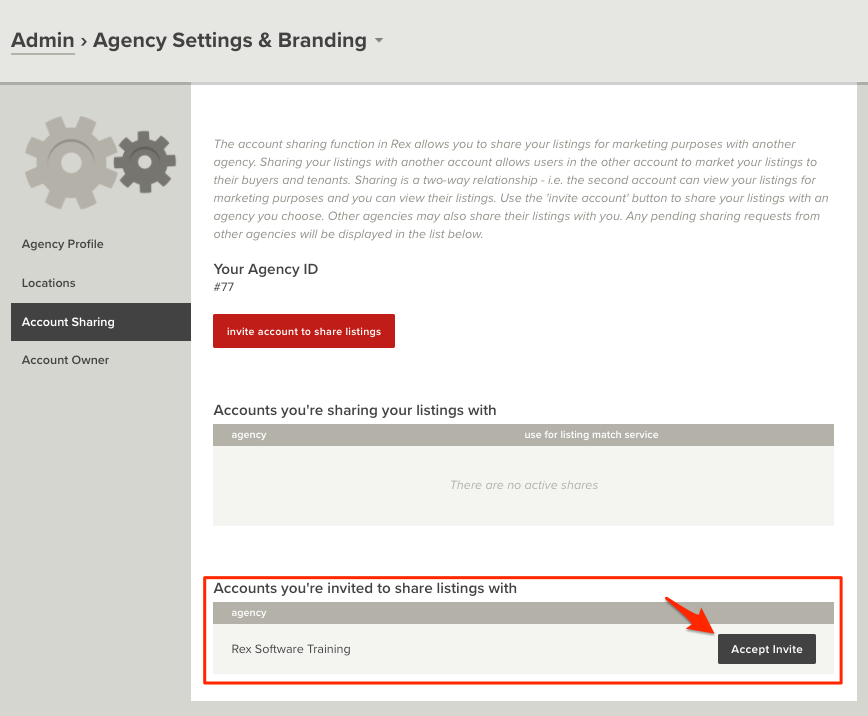
- This will now allow listings to be shared between both agencies
If you wish to use the agencies listings in Match Campaigns, Manual Matches and Automatic Match Alerts:
- Under Accounts you're sharing your listings with, hover over the account name and click the drop-down arrow
- Select Use for listing match service
- Both Agency accounts will need to do this if they want all listings to show in match services in both agencies
Deactivate Account Sharing
If you would like to turn off listing sharing follow the below steps:
- Go to Admin > Agency Settings & Branding
- Click Account Sharing in the left hand panel
- Hover over the agencies name and click on the grey Drop down button
- Click Cancel Sharing Access
This will delete the link between your accounts - you'll no longer be able to see their listings and they won't see yours.